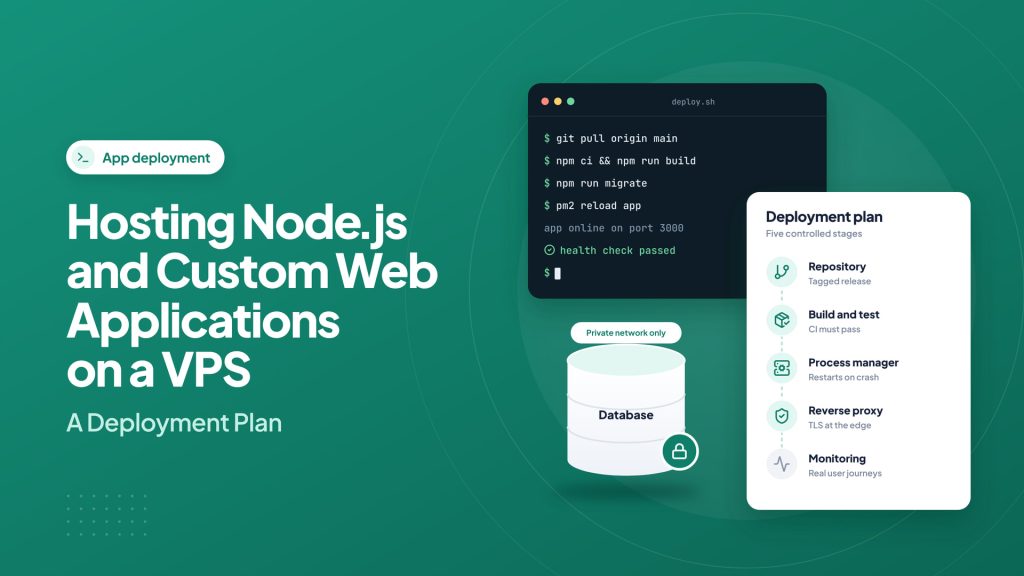

A custom web application often needs more than a document root and a database. Node.js services, workers, scheduled tasks, and real-time connections introduce deployment requirements that may be difficult to manage on a restricted shared hosting account.
Quick answer: A reliable Node.js deployment requires explicit architecture, protected secrets, a supported production runtime, a reverse proxy, tested database migrations, and observability. Keep the rollout repeatable and recoverable.
Map the application components first
List the web frontend, API, database, queue, cache, background workers, and file-storage needs. Decide which components must run on the same machine and which should be external services. This prevents a deployment from becoming an undocumented collection of processes.
For a small application, a single VPS may be appropriate. For a business-critical platform, think about separating databases, backups, and persistent assets as the workload grows.
Use a reverse proxy and controlled process manager
A production Node.js process usually listens on an internal port behind a reverse proxy. Nginx, for example, can terminate HTTPS and forward requests to the app. Use a process manager or system service so the application restarts predictably after a reboot or failure.
Do not expose development servers, database ports, or internal dashboards publicly unless you have a deliberate and secured reason.
Handle environment settings safely
Keep development and production settings separate. Store API keys and database credentials outside source control, and apply least-privilege database accounts. Log the application version and deployment date so regressions can be traced to changes.
Build a basic deployment pipeline
A small workflow can still be disciplined: build in a clean environment, run automated tests, transfer a reviewed release, execute database migrations with a rollback strategy, and verify health checks after deployment. Maintain a previous working release when practical.
Monitor what users experience
CPU and memory monitoring are necessary but not sufficient. Track application response time, failed requests, worker backlog, database connection errors, and disk usage. Alerts should include enough detail to identify the affected component.
Evaluate the VPS contract
Look at RAM, CPU, network connectivity, storage, access level, backup options, and whether the plan is managed. You can review Intelwebhost’s VPS options as one benchmark for root-access infrastructure, then compare the responsibilities and resources with your requirements.
Draw the application architecture before choosing a server
A Node.js deployment may consist of an HTTP server, background worker, PostgreSQL or another database, Redis, an object-storage service, and a reverse proxy. Write down the dependencies, memory needs, network ports, secrets, and persistence requirements for each component. This reveals whether the application belongs on a single VPS or benefits from managed external services. A simple site with one process should not be forced into an elaborate container platform just because it is fashionable.
Decide how code will reach production. A maintainable approach uses version control, reproducible builds, explicit configuration variables, and a deployment artifact that can be rolled back. Avoid running a development server as the permanent production process; use the framework’s documented production mode with an appropriate process supervisor or container restart policy.
Reverse proxy and TLS architecture
Place a supported reverse proxy such as Nginx or Caddy in front of the application when appropriate. Let it terminate HTTPS, enforce sensible request limits, and forward requests to a locally bound application port. Do not expose a Node.js development port to the public internet without a reason. Keep database and cache endpoints private, protected by both binding rules and firewall policies.
For WebSocket or server-sent-event applications, confirm the proxy supports the required connection upgrades and timeout behavior. For file uploads, set limits in both the proxy and application and use object storage where it simplifies scaling and backup strategy.
Manage database migrations as a controlled release
Schema changes can cause more downtime than a server reboot if they are untested. Run migrations against a staging dataset before production and understand whether each step can be rolled back. Keep application and database versions compatible during deployments. If a release fails halfway through, the team should know whether reverting the application alone is safe or whether a database recovery is required.
Use connection pooling appropriately, monitor slow queries, and set sensible database resource limits. Database credentials should be stored as environment secrets with restricted access, never committed to a public repository.
Plan observability around user journeys
Monitor health checks, error rates, request latency, disk space, memory, CPU, and queue depth. In a customer support platform, measure not only HTTP uptime but whether agents receive messages and background notifications complete. For a payment application, log correlation IDs so a transaction can be followed across the request, database update, and callback stages without exposing sensitive payment details.
Create deployment smoke tests: homepage loads, login succeeds, database access works, a background job executes, and the reverse proxy returns a valid certificate. Alert on repeated failures and test how the on-call person receives those alerts.
Example rollout for a small SaaS
A startup can begin with one VPS containing a reverse proxy, application process, and carefully maintained database. As traffic grows, it may move database backups offsite, separate background workers, or adopt managed database hosting. Each split should solve a concrete bottleneck or resilience requirement, not merely increase component count. Document dependencies so that a future administrator can reproduce the system.
Production release checklist
- Build from a pinned dependency set and supported Node.js version.
- Store secrets outside source code and rotate them when necessary.
- Expose only required public ports; keep databases private.
- Use HTTPS, correct proxy headers, and tested application restart behavior.
- Test database migrations and rollback plans on staging.
- Back up durable data and verify restoration.
- Track real user-facing health rather than only process uptime.
Finish with a recovery rehearsal
Restore a database backup to a separate environment, start the service from documented steps, and verify that secrets can be reissued if required. A deployment that only one developer can reproduce is an avoidable business risk.
The best VPS setup is not necessarily complicated. It is one with clear boundaries between components, predictable deployments, and observable failures.
Frequently asked questions
Can I run Node.js on ordinary cPanel hosting?
Some platforms support Node.js, but runtime versions, persistent processes, and package restrictions vary. Verify exact compatibility before ordering.
Do I need Docker for a Node.js VPS?
No. Containers can improve packaging and repeatability, but a supervised application process and clear deployment procedure may be enough for smaller systems.
Should Redis or PostgreSQL be publicly accessible?
Normally no. Keep these services on private or local interfaces with restricted access unless the architecture requires a carefully secured exception.